Scorecard Display Settings
Simplamo allows you to customize Scorecard displays according to your needs. You can:
- View archived metrics;
- Display trend indicators;
- Set the number of weeks displayed;
- Aggregate metrics by Month, Quarter, or Year;
- Change statistical units.
View Archived Metrics
To review previously Archived Metrics, click the settings button in the Scorecard and toggle on the Archived feature.
The system will then display all Metrics in the order they were previously archived.

See how to Unarchive Metrics to return them to the active Scorecard page HERE.
Display Metrics' Trend
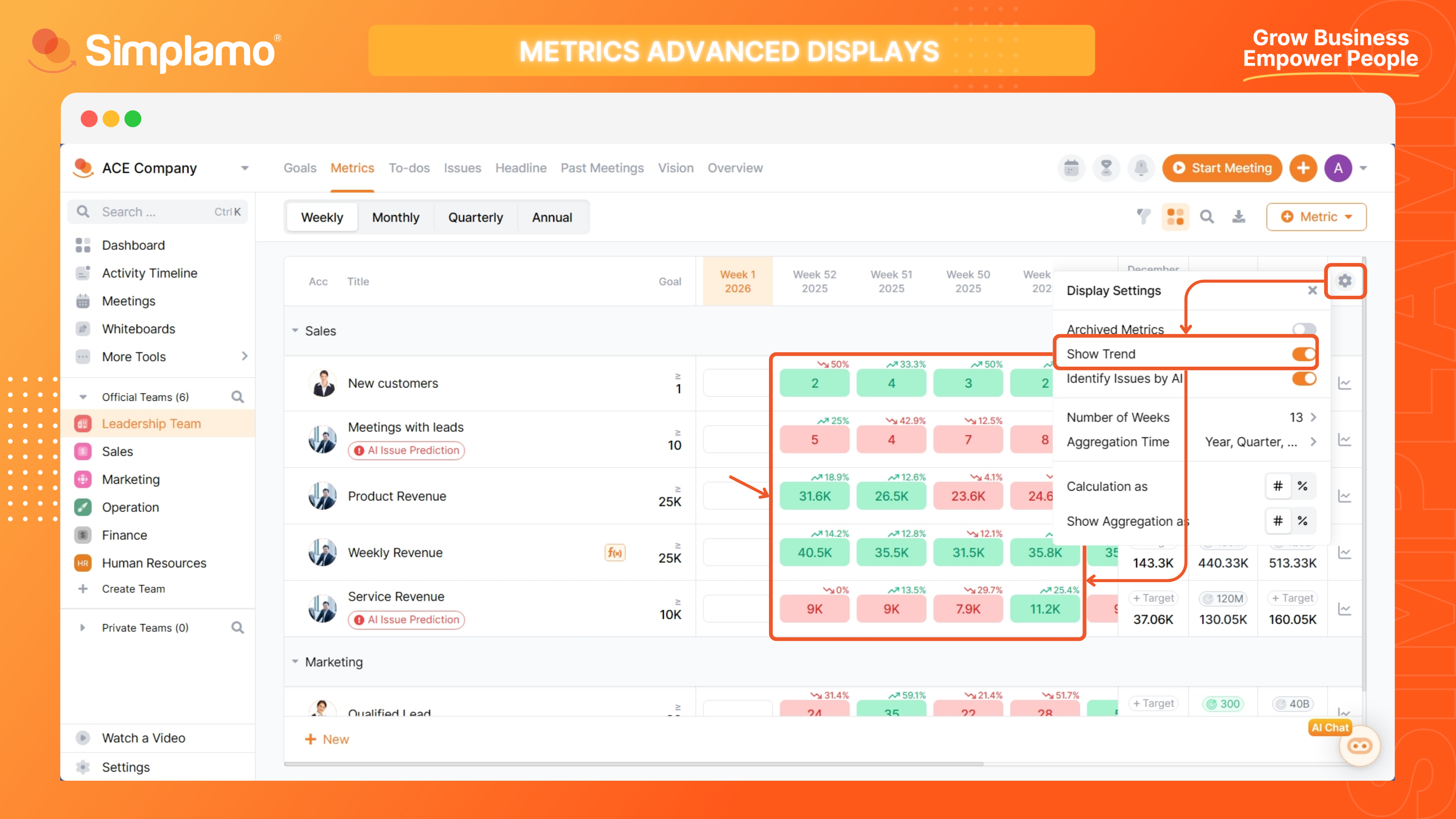
Trends for Metrics on Simplamo are represented by an arrow and a variance percentage. Based on this trend, you can quickly assess seasonality, campaign effectiveness, or identify early warning signs.

To turn the trend display on or off, click the settings button in the Scorecard and toggle Show Trends.
Set Display Columns
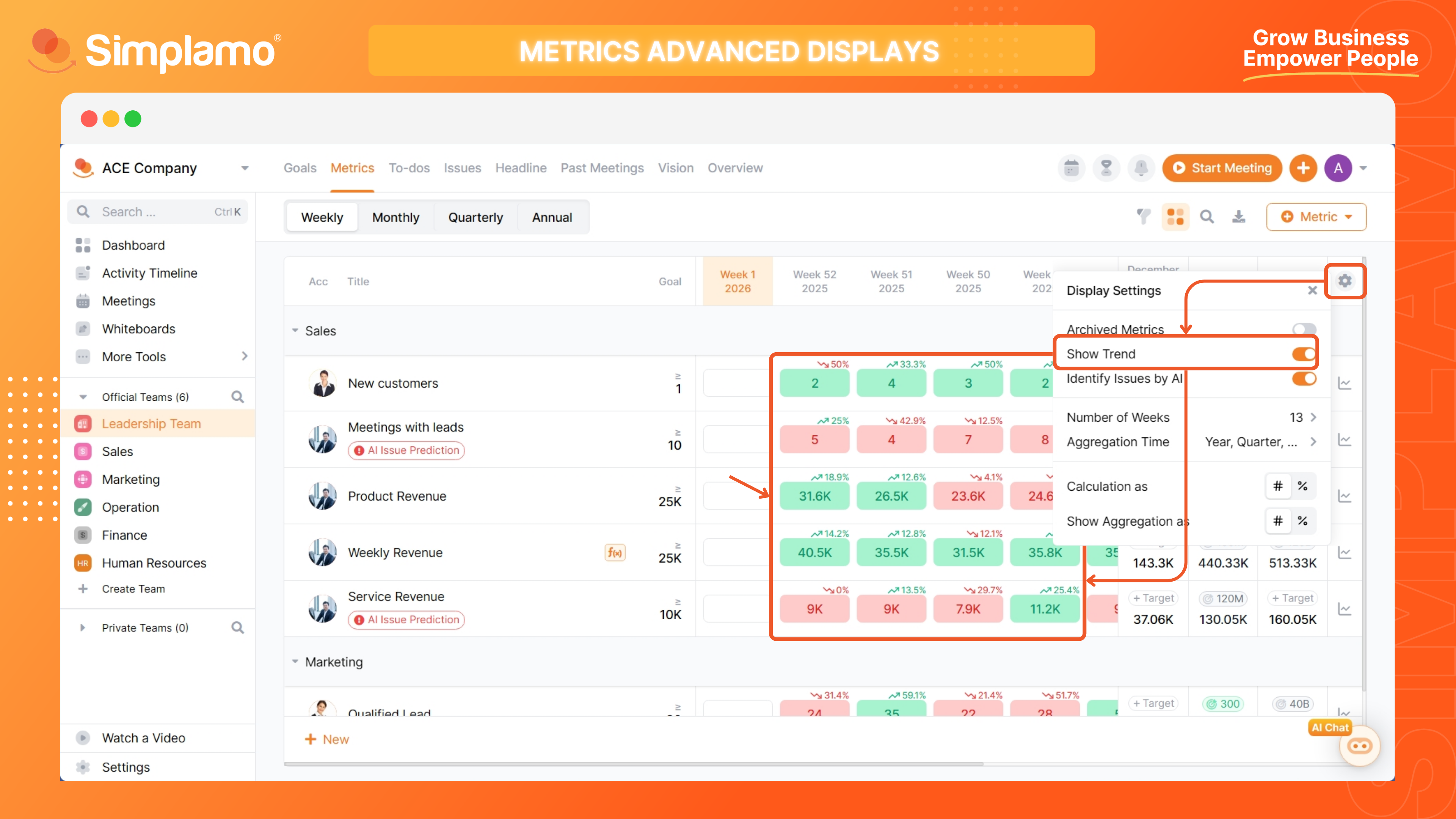
You can choose the number of metric columns to display based on your needs.
Click the Settings section of the scorecard and directly change the number of columns you want to see in the Weeks field (this will appear as Months, Quarters, or Years for Monthly, Quarterly, & Yearly Scorecards).
Aggregate Metrics by Month, Quarter, Year
Based on the Metric's Aggregation Type, Simplamo will summarize that metric for you by Month, Quarter, or Year.
Learn more about Aggregation Types for Metrics on Simplamo HERE.
You can choose which timeframe is summarized by following these steps:
Step 1: Open Settings in the Scorecard.
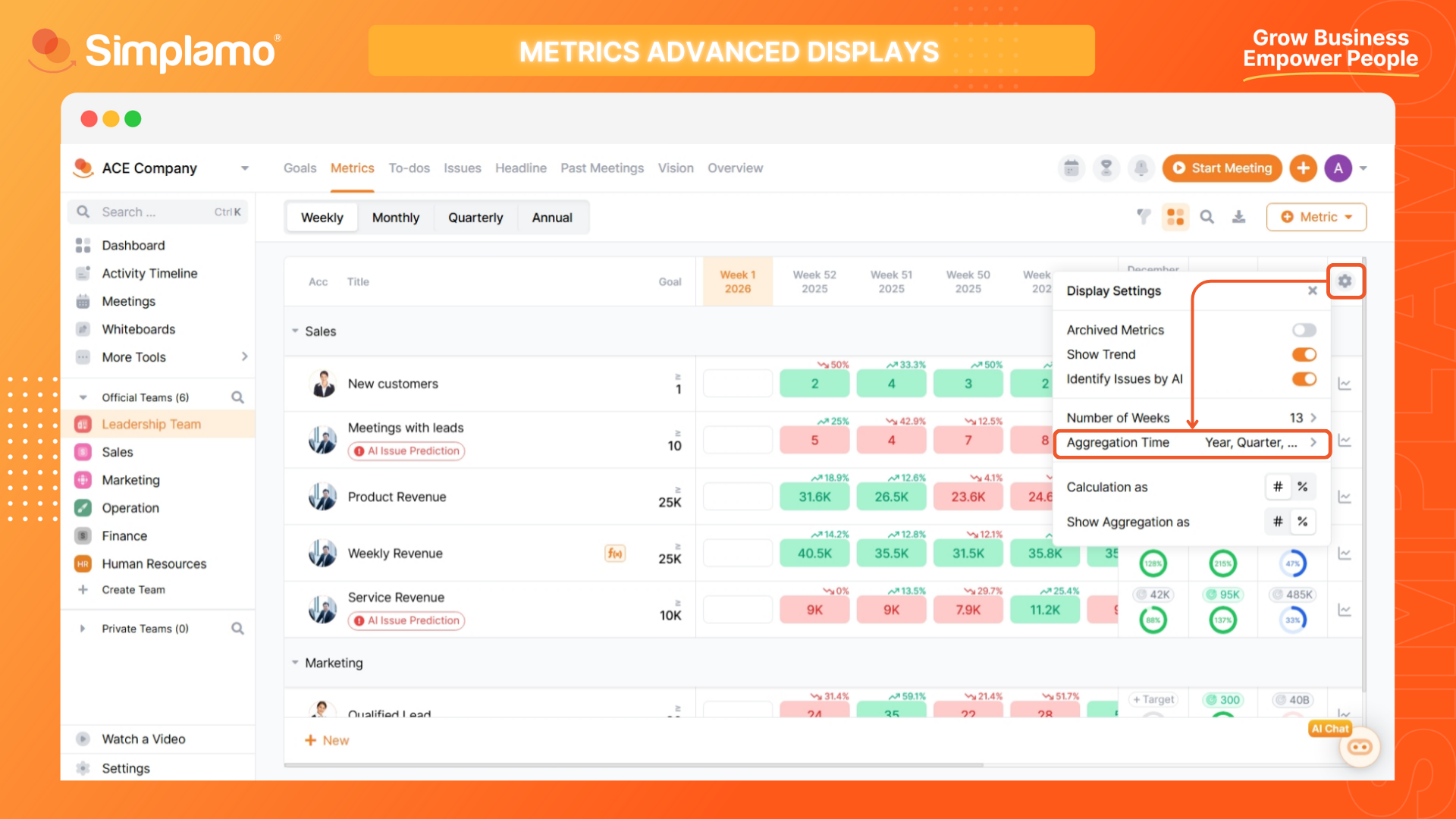
Step 2: Click Accumulation Time and select the time periods for which you want to see summarized Metrics.

Change Aggregation Units
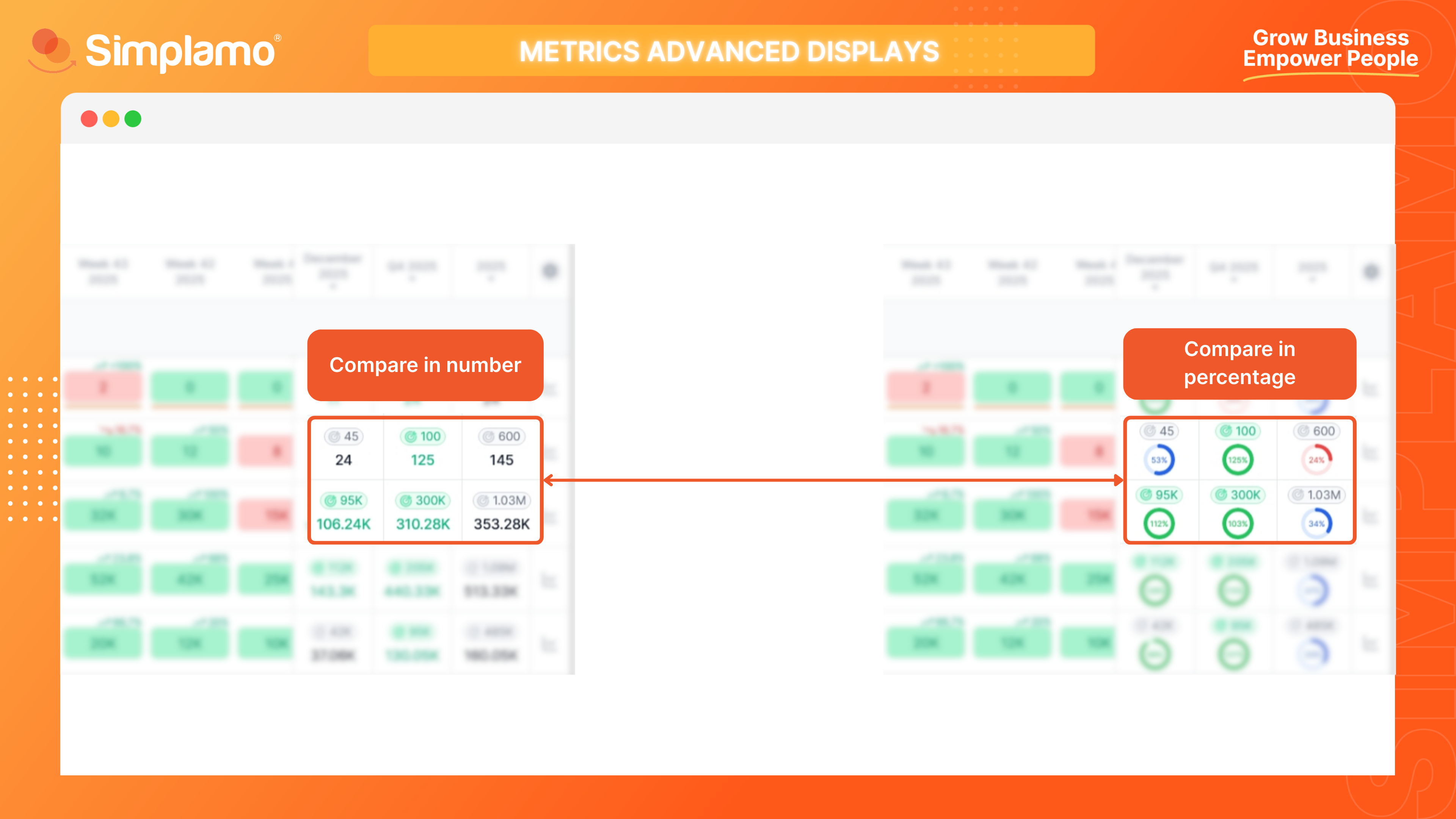
Simplamo helps you compare actual results against the Goal you set for each metric. You can flexibly customize the comparison by percentage or by actual numbers.
Open Settings in the Scorecard, then customize the units for the following two options:
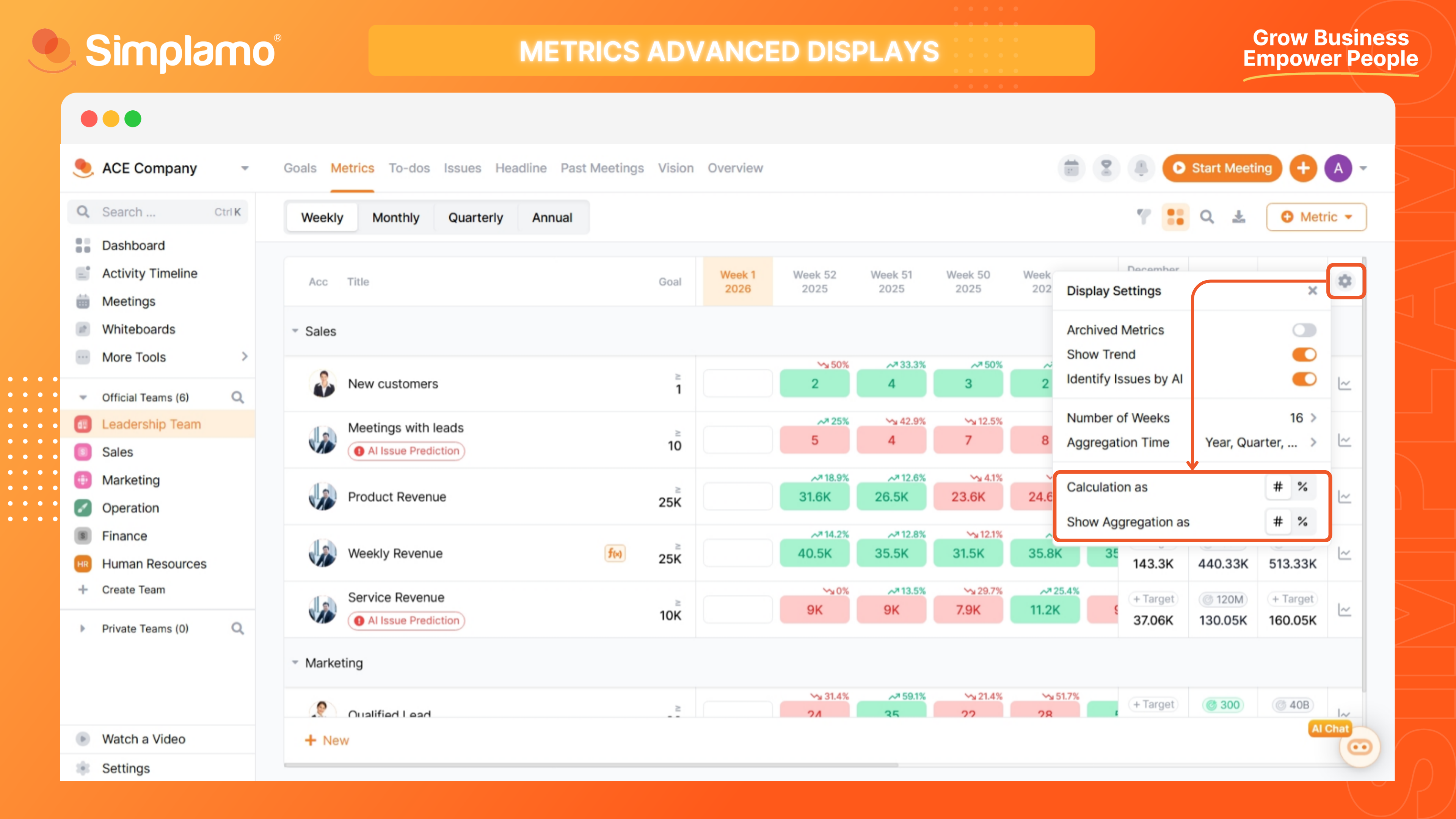
- Calculate in: Change the unit for comparing Actual vs. Goal from percentage to actual numbers.
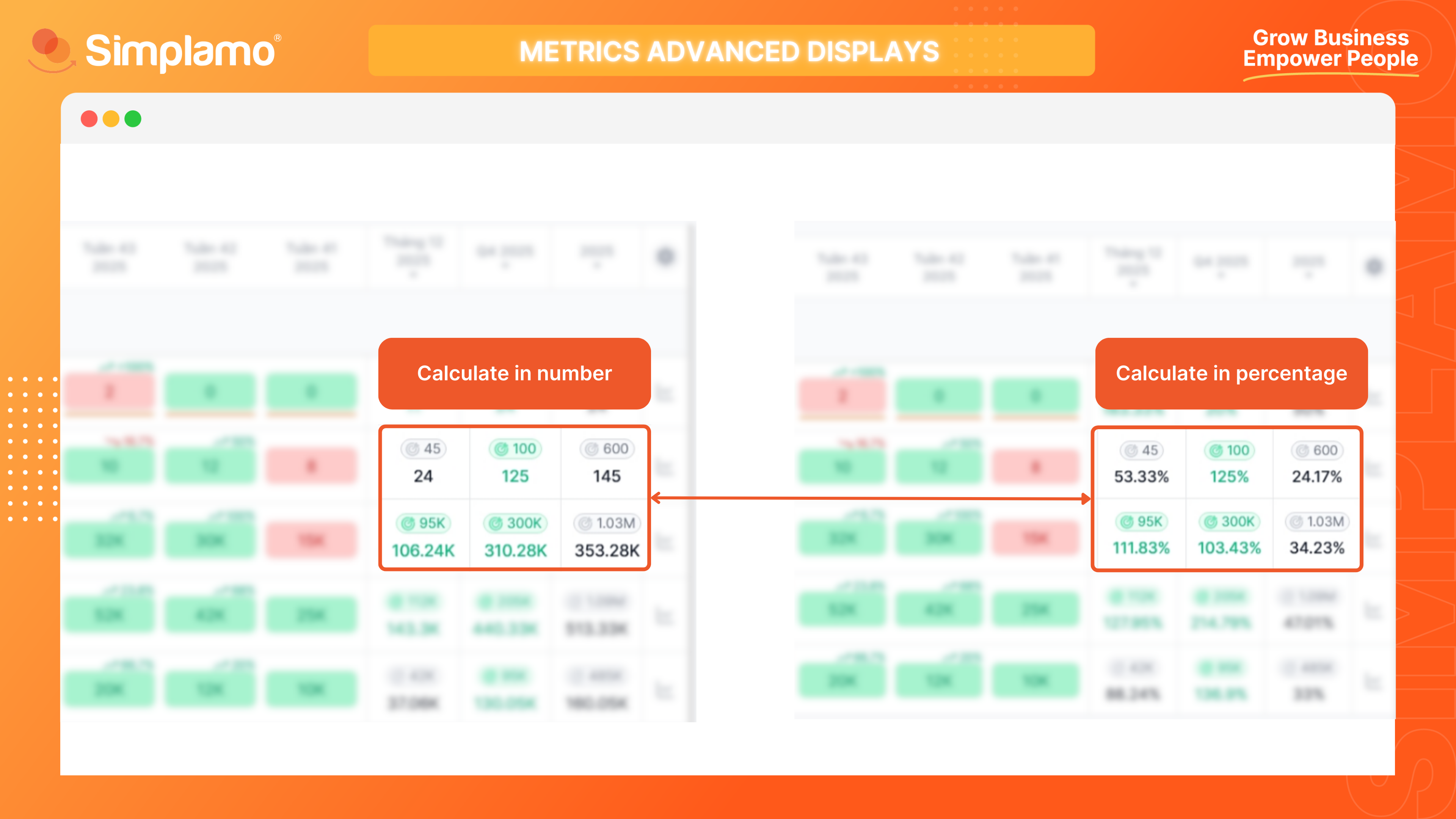
- Display accumulation by: Change the comparison display from numeric format to a ratio chart.