Category Management
Managing categories is essential for organizing, classifying, and tracking information. It helps enhance organization and prioritize tasks.
Creating Category
To set up additional categories for your company in Simplamo, follow these steps:
Step 1: Click on the "Settings" button.
Step 2: Select the "Company Settings" page.
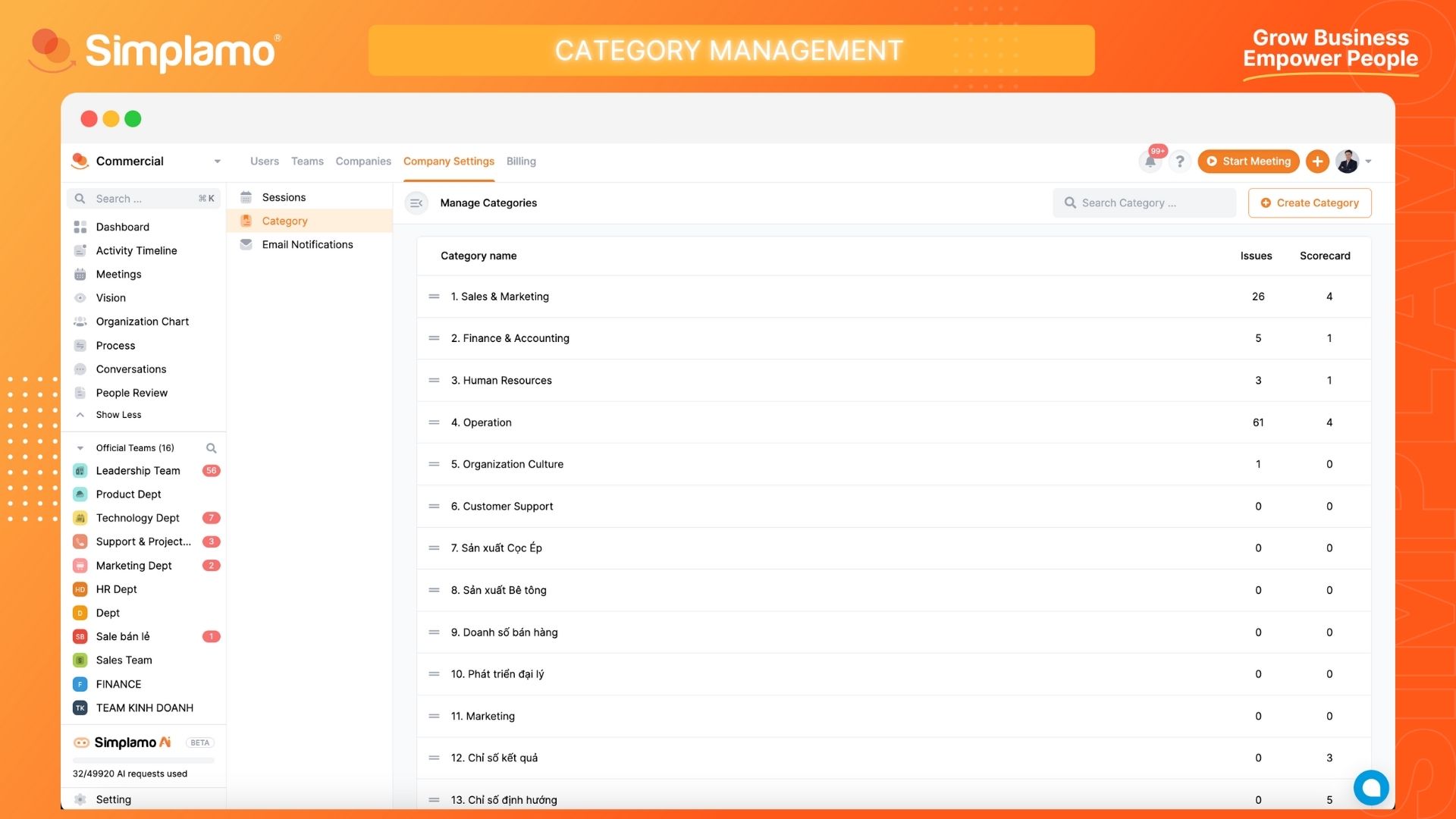
Step 3: Click on the "Category" option lick on "Create Category" and provide the required information:
- Category Name
- Category Description
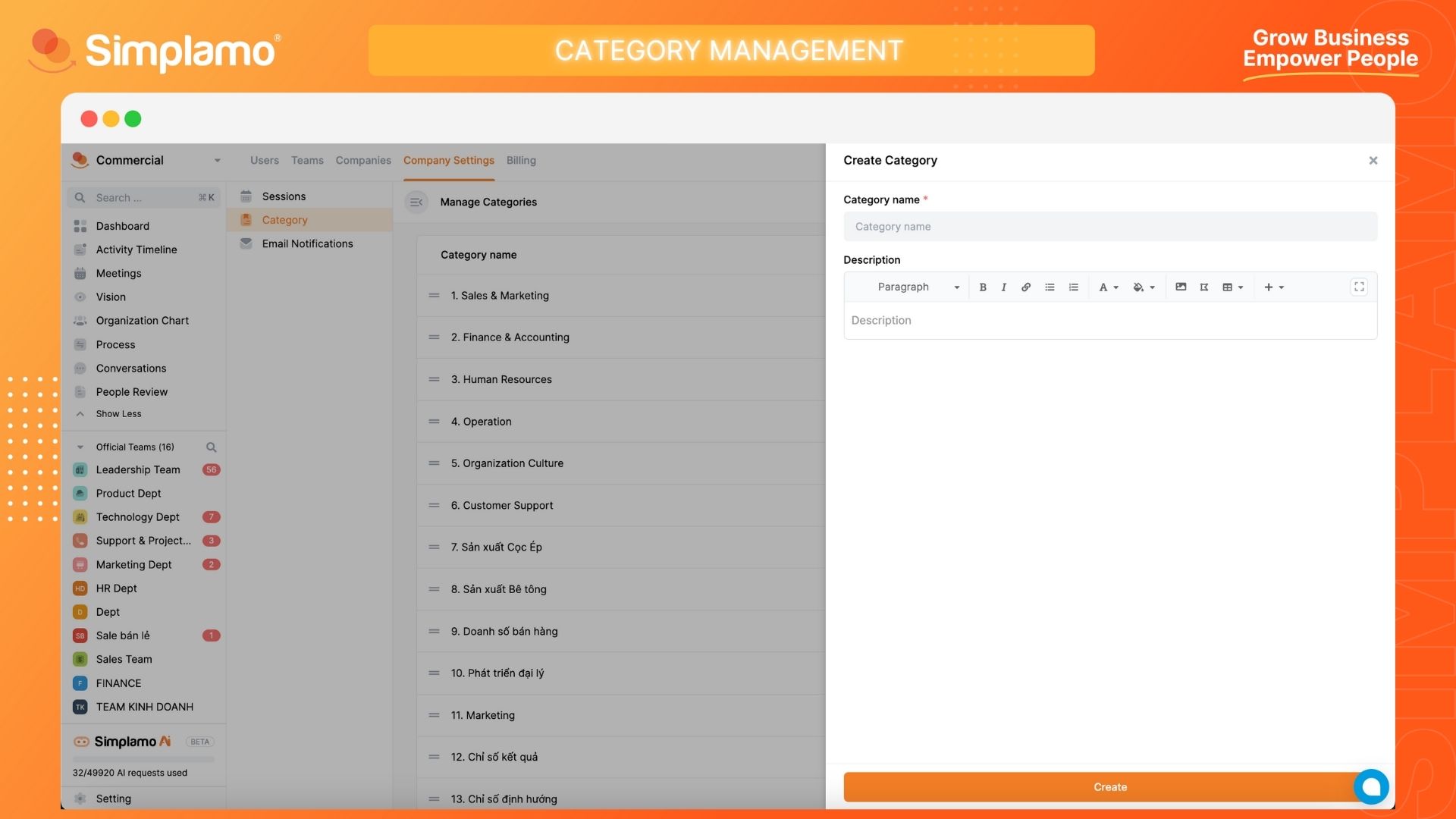
Note:
- Fill in all the required fields.
- You can also review the existing categories in this section.
Editing Category
To make changes to a category for your company in Simplamo, follow these steps:
Step 1: Click on the "Settings" button.
Step 2: Select the "Company Settings" page and click on the "Category" option.
Step 3: Identify the category you want to edit by its name.
- Update the Category Name
- Category Description as needed.
Deleting Category
To delete a category for your company in Simplamo, follow these steps:
Step 1: Click on the "Settings" button.
Step 2: Select the "Company Settings" page and click on the "Category" option.
Step 3: Identify the category you want to delete. Proceed with deleting the category.
Note: When you delete a category, any targets and indicators associated with that category will no longer be filterable by Category.