Analyzing & Planning Goal Execution with Simplamo AI Expert
I. What is goal analysis and execution planning?
When setting a goal on Simplamo, you are encouraged to analyze it clearly by answering 3 key questions:
Why is this goal important?
Why is this goal urgent?
What are the results of this goal? Including sub-points:
- Specific results?
- Implementation steps?
- Contributions from other departments in the organization?
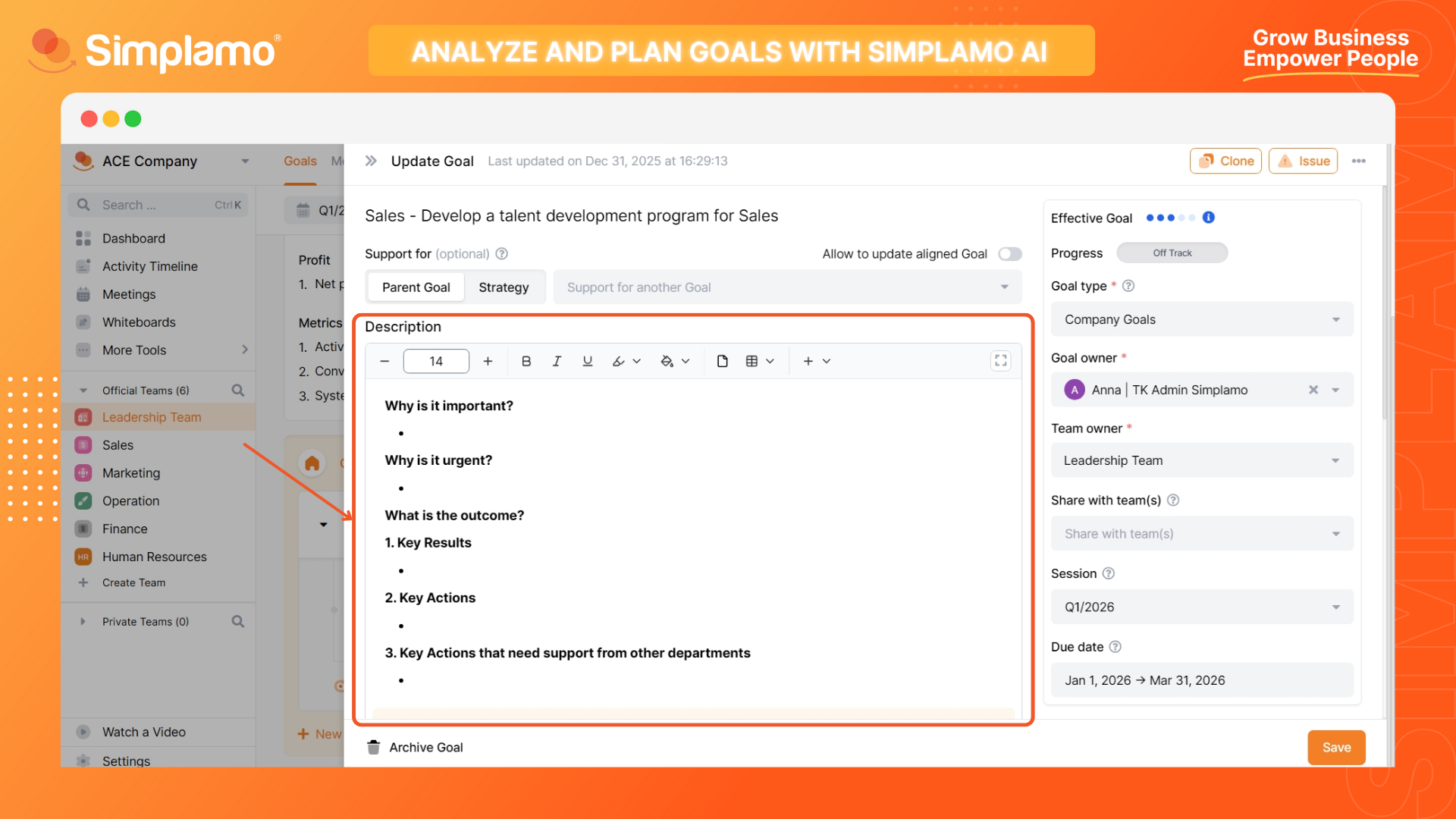
Answering these questions helps you eliminate goals that lack importance and urgency. Simultaneously, clearly writing down the goal's output serves as the basis for planning execution and setting progress milestones.
Answering these questions "correctly, sufficiently, and effectively" when first learning goal management can be a challenge.
However, you can do this easily with Simplamo AI Expert: With just a few clicks, you will have an extremely detailed analysis. And most importantly, the information is highly persuasive.
II. Steps to use AI for analysis and planning in 5 seconds
Here are the steps to reference goal analysis from Simplamo AI Expert:
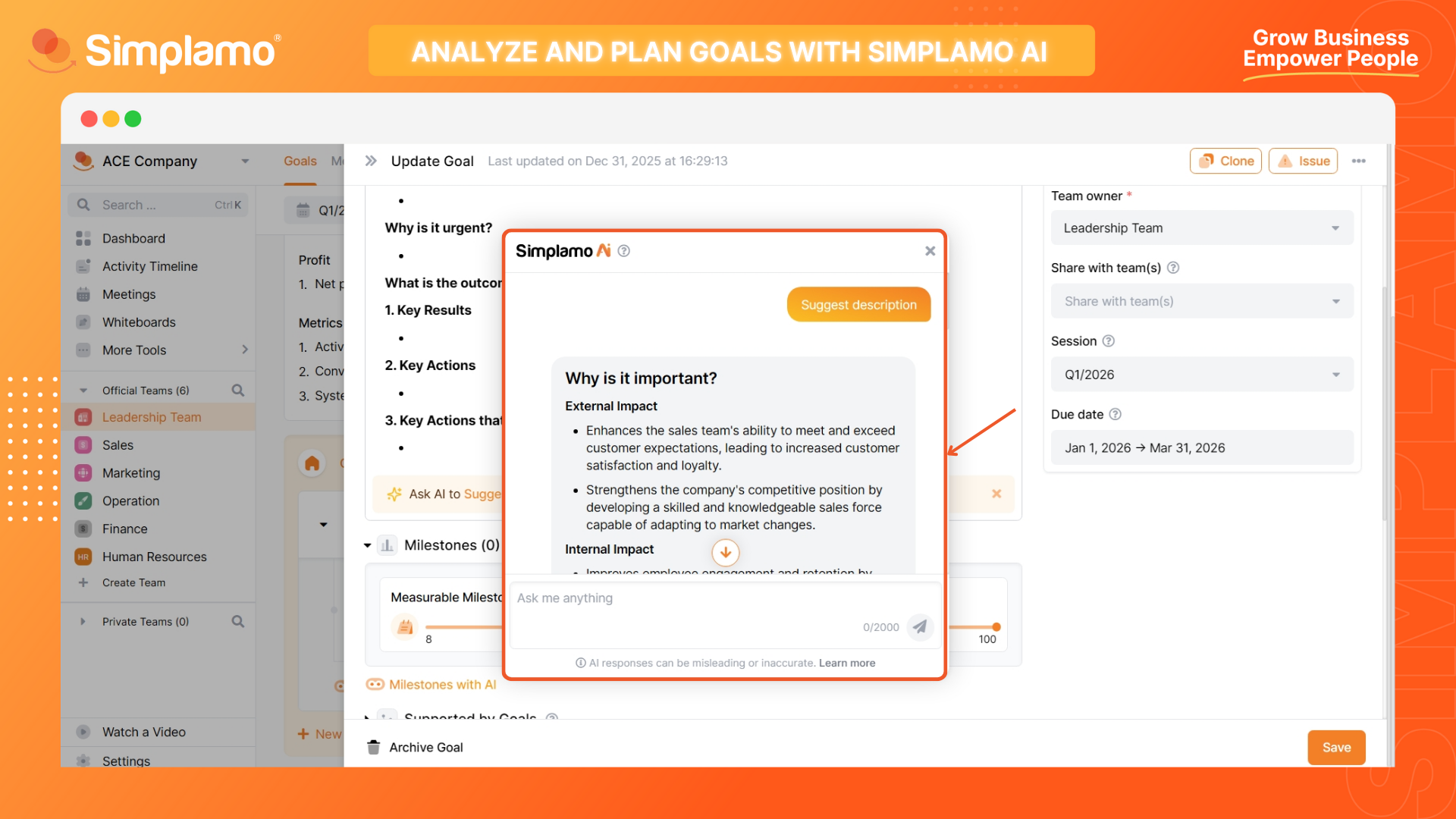
Step 1: Open the goal you want to analyze and select "Ask AI to Suggest Description".
Note: Ensure your goal title meets "S.M.A.R.T" standards for the most accurate AI analysis.
Learn more about Naming Goals according to "S.M.A.R.T" standards HERE.
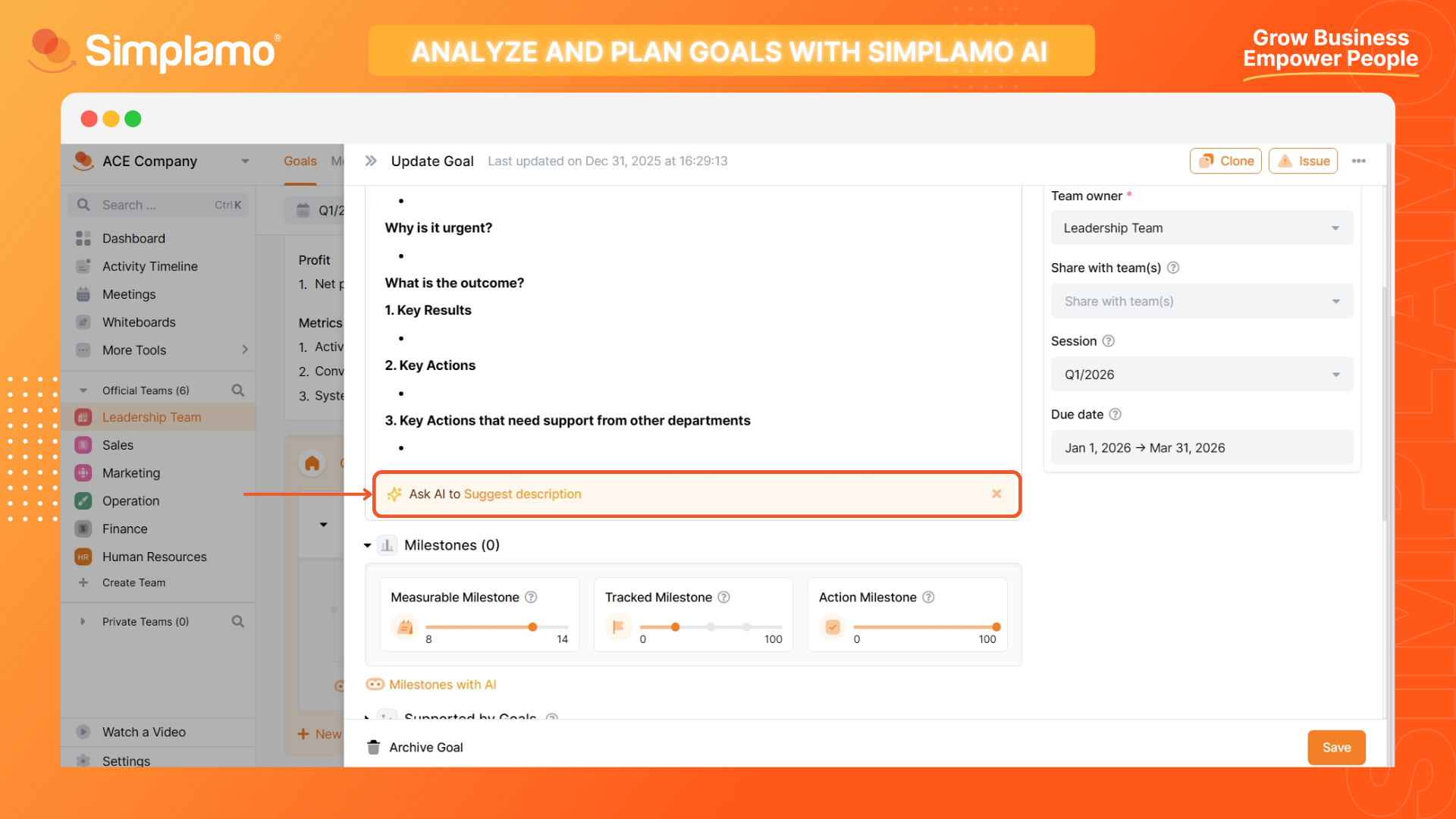
Step 2: Check the information returned by the AI.
At this point, an AI chat box will appear. You will see the analysis of your goal written out in text. Read through it once to prepare for step 3.
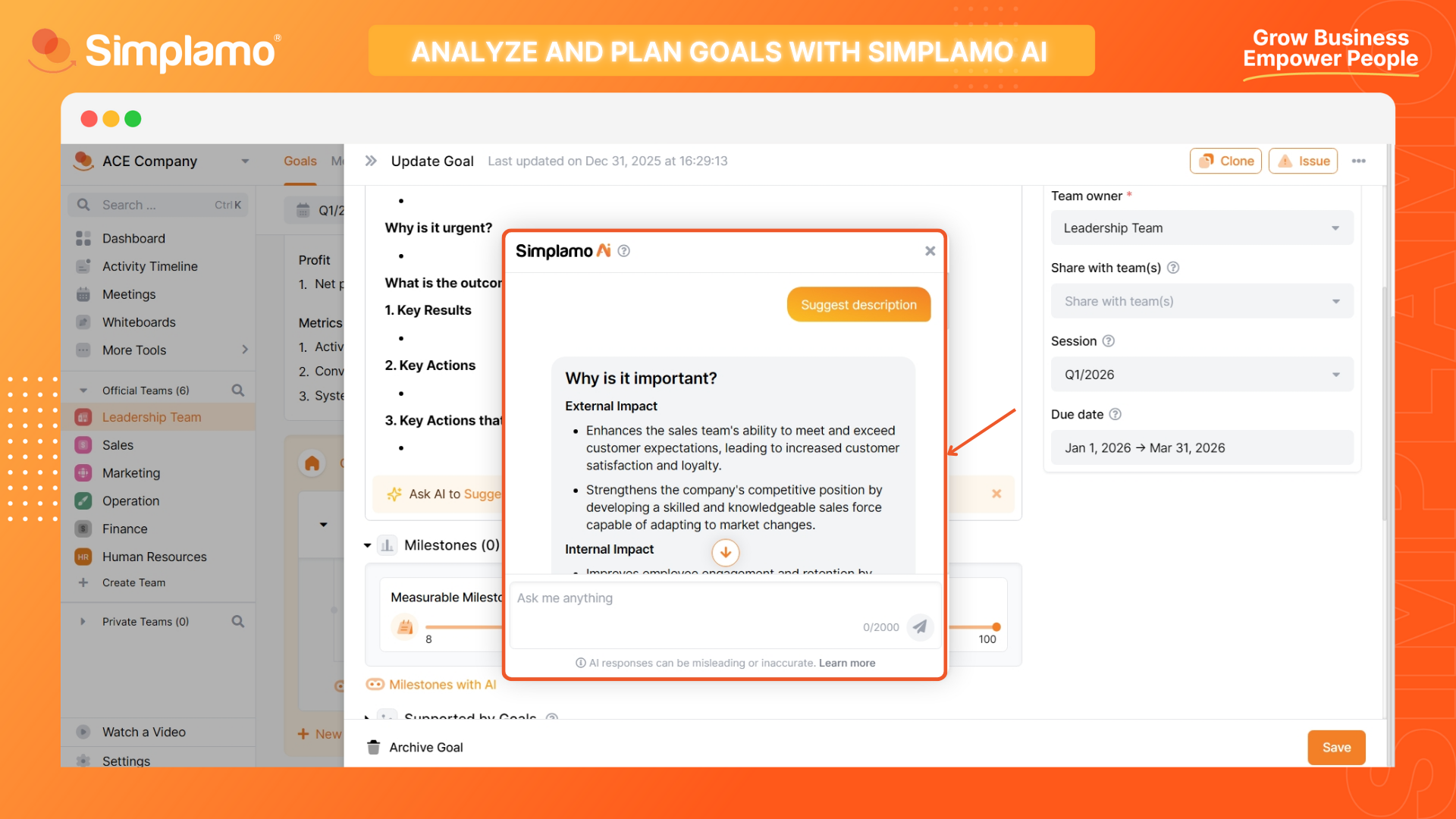
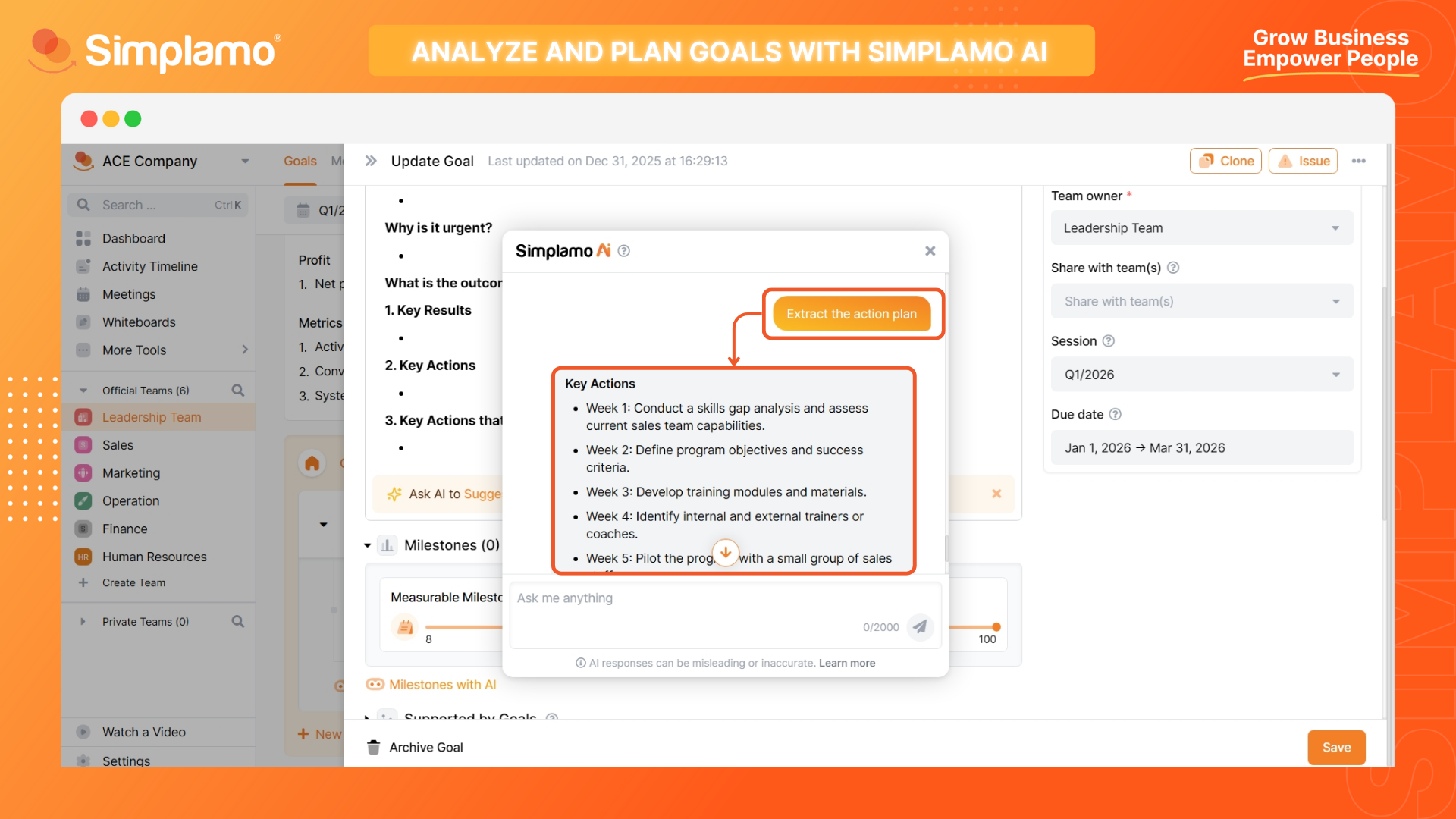
Step 3: Request further analysis from AI.
If you are not yet satisfied with what the AI provided initially, try adding more requests and/or providing additional information to get a closer answer.
Learn more about How to write effective AI prompts HERE.
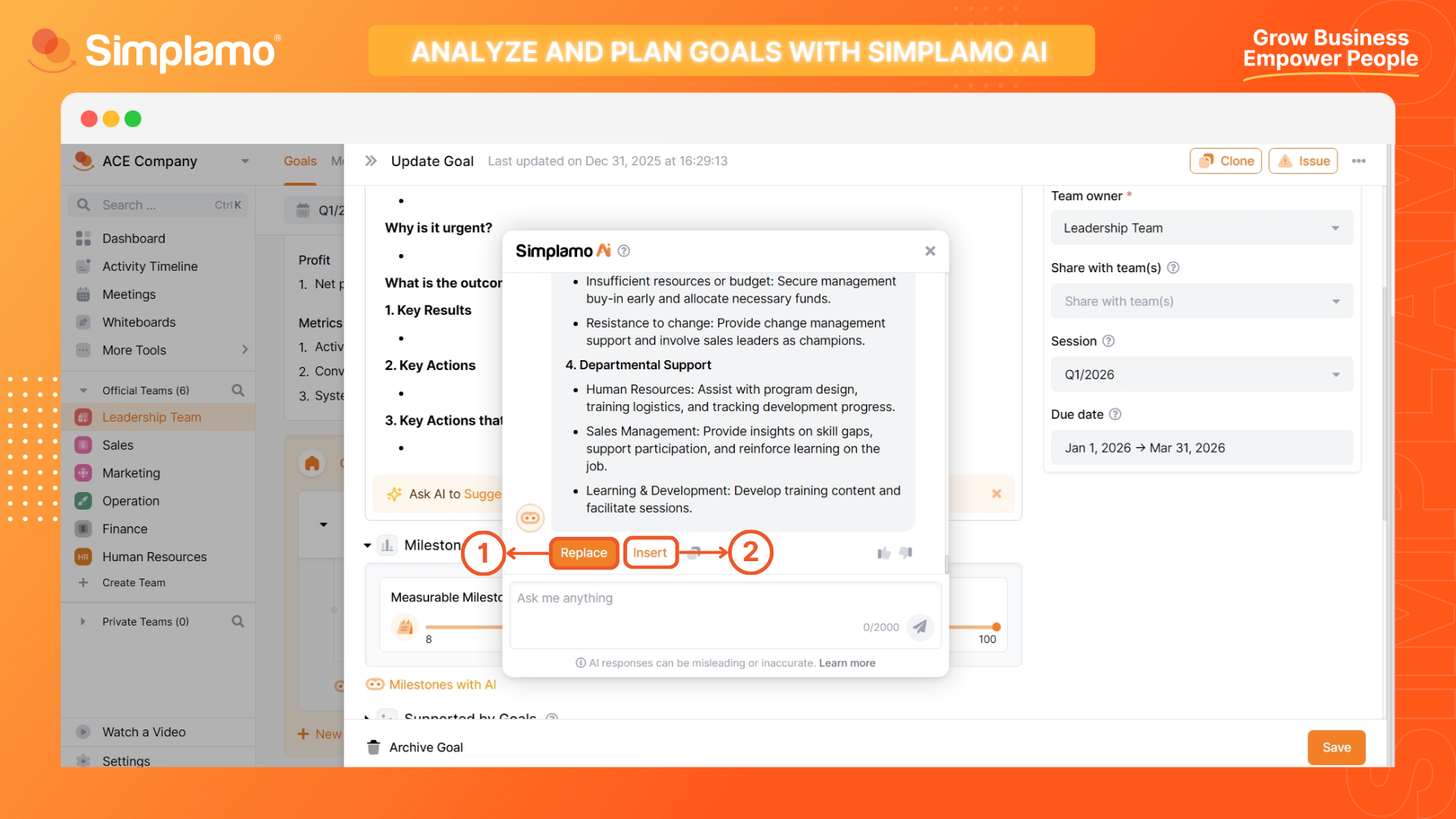
Step 4: Approve the content and apply.
Once satisfied with the AI's analysis, you can choose to replace the content directly into the description board by selecting the Replace (1) or insert it below existing content by selecting the Add (2).
Additionally, you can flexibly highlight and copy the content you like for use.
III. Using Analysis Results to Create Milestones
As mentioned, analyzing goals thoroughly helps you eliminate what isn't important enough and serves as a basis for setting milestones to track goal progress.
In the response regarding the goal's results, use that information to set appropriate milestones:
👉 The Key Results section can be used to set measurable milestones, marking the final outcome of the goal. Highlight an idea, select (+) Quick Create and choose Create Milestone, then proceed to set up the milestone as desired.
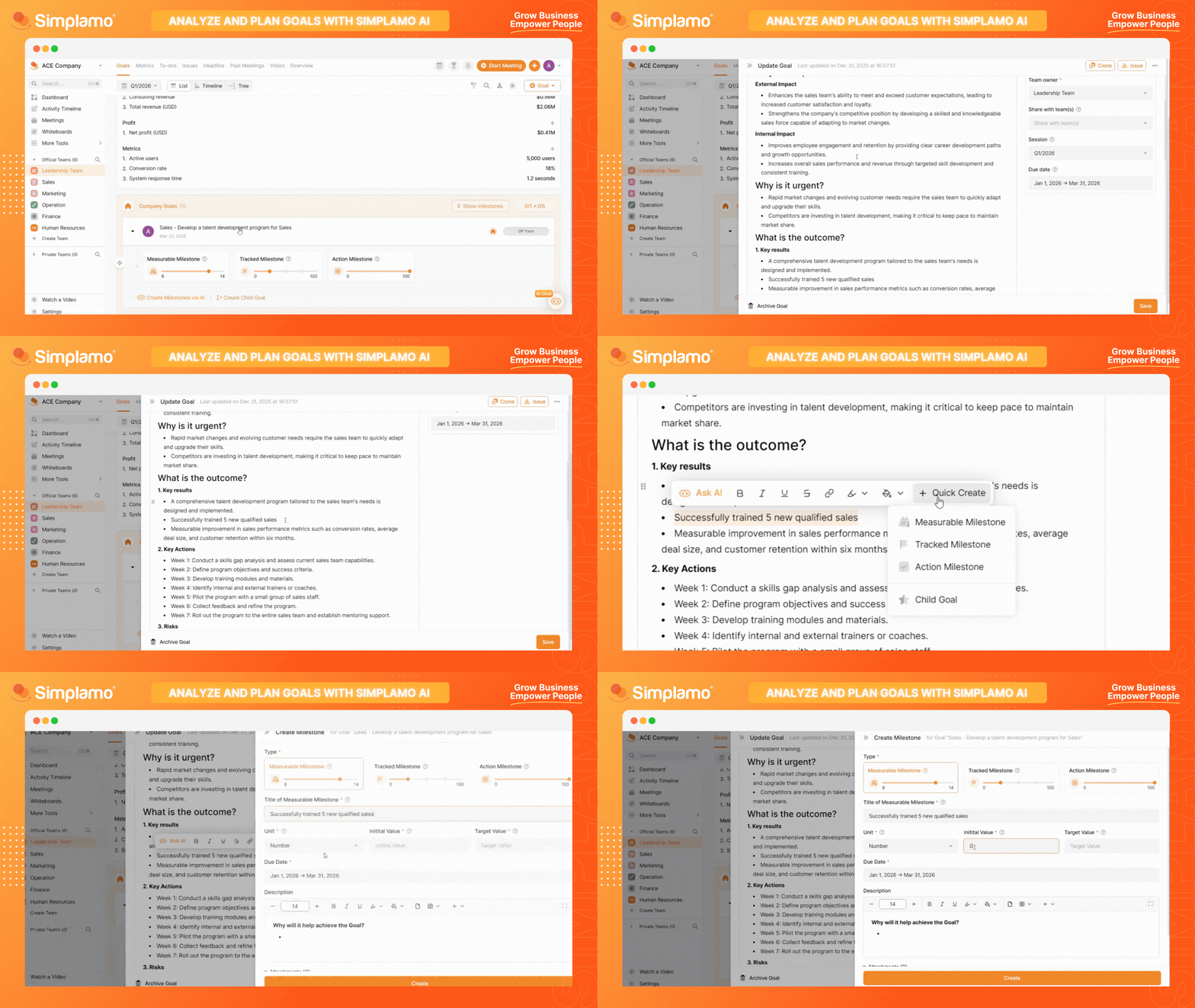
👉 The Specific Actions section can be referenced as progress milestones for the steps you take to implement the plan. Highlight an idea, select (+) Quick Create and choose Create Milestone, then proceed to set up the milestone as desired.
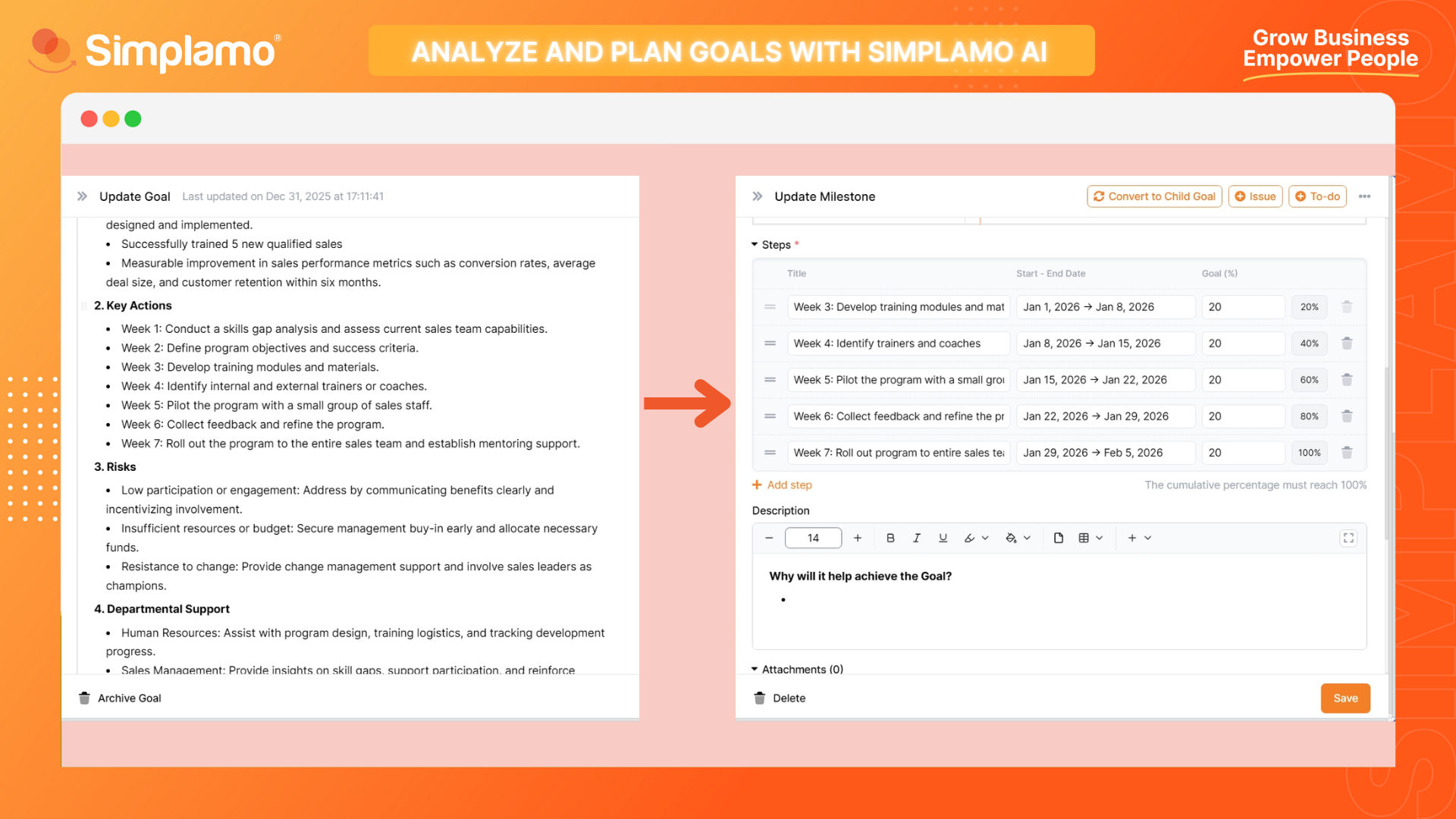
👉 The Work requiring support from other departments section is a good basis for you to divide work into Child Goals to request support from other departments.
Highlight an idea, select (+) Quick Create and choose Create Child Goal, then proceed to set up linked goals to decompose the work reasonably.